Need help? Call us:

(415) 651-4700

No products in the cart.

PROFESSIONAL PDF SOFTWARE · WINDOWS

Nitro PDF Pro

Professional PDF Editor for Windows

Work with PDF documents faster and more efficiently. Create, edit, convert, organize, review, sign, and manage your files with powerful PDF tools designed for Windows.

Instant digital delivery
Lifetime activation
No subscription
Software Nitro PDF Pro
Instant Delivery

1-30 min delivery

No Extra Charges

One-time payment

Safe Payments

Secure checkout

24/7 Support

Always here to help

POWERFUL PDF TOOLS

Everything You Need to Work With PDF Documents

Nitro PDF gives you the essential tools to create, edit, convert, organize, review, and sign PDF documents from one convenient Windows application.

Edit PDF Documents

Modify text, images, and pages directly in your PDF files and make everyday document changes without starting over.

Convert PDF Files

Convert PDF content into commonly used document formats and create PDFs from files you already use.

OCR for Scanned PDFs

Turn scanned documents into searchable text and make information inside image-based PDFs easier to work with.

Sign PDF Documents

Add electronic signatures to PDF documents and complete digital document workflows without printing or scanning.

Organize PDF Pages

Merge documents, split files, rearrange pages, rotate content, and organize your PDF files exactly the way you need.

Protect PDF Documents

Help protect sensitive PDF content with available security, password, and document protection tools.

Review & Annotate PDFs

Add comments, highlights, notes, and other annotations to make reviewing and collaborating on PDF documents easier.

Create & Manage Forms

Work with PDF forms by creating, completing, and managing interactive document fields when needed.

WHY NITRO PDF

Why Choose Nitro PDF for Windows?

Nitro PDF brings essential PDF tools together in one Windows application. From editing and converting documents to organizing pages, reviewing files, and adding signatures, it helps simplify the tasks you handle every day.

Whether you work with business documents, forms, reports, invoices, or scanned files, Nitro PDF gives you practical tools for managing your PDF workflow from start to finish.

Simple & Familiar Interface

A clear and familiar workspace makes it easier to find the tools you need and work with PDF documents comfortably.

Built for Windows

Designed for supported Windows systems, Nitro software provides a dedicated desktop environment for working with your PDF documents.

Reliable PDF Workflows

Create, edit, convert, organize, and review your documents with a complete set of tools built for everyday PDF workflows.

Lifetime License

Choose a lifetime license with a one-time purchase instead of paying for a recurring monthly subscription.

PDF FEATURES

What You Can Do With Nitro PDF

Handle everyday PDF tasks with practical tools for editing, creating, converting, organizing, reviewing, and signing your documents on Windows.

Create PDF Files From Your Documents
Edit Text and Images in PDFs NEW
Convert PDFs to Office Formats
Combine Multiple Files Into One PDF HOT
Make Scanned PDFs Searchable With OCR
Add Comments and Annotations
Sign PDF Documents Electronically
Protect Sensitive PDF Content
Create and Fill PDF Forms
Compare Different Document Versions
Process Multiple PDF Files Efficiently
Add Watermarks, Stamps and Page Numbers
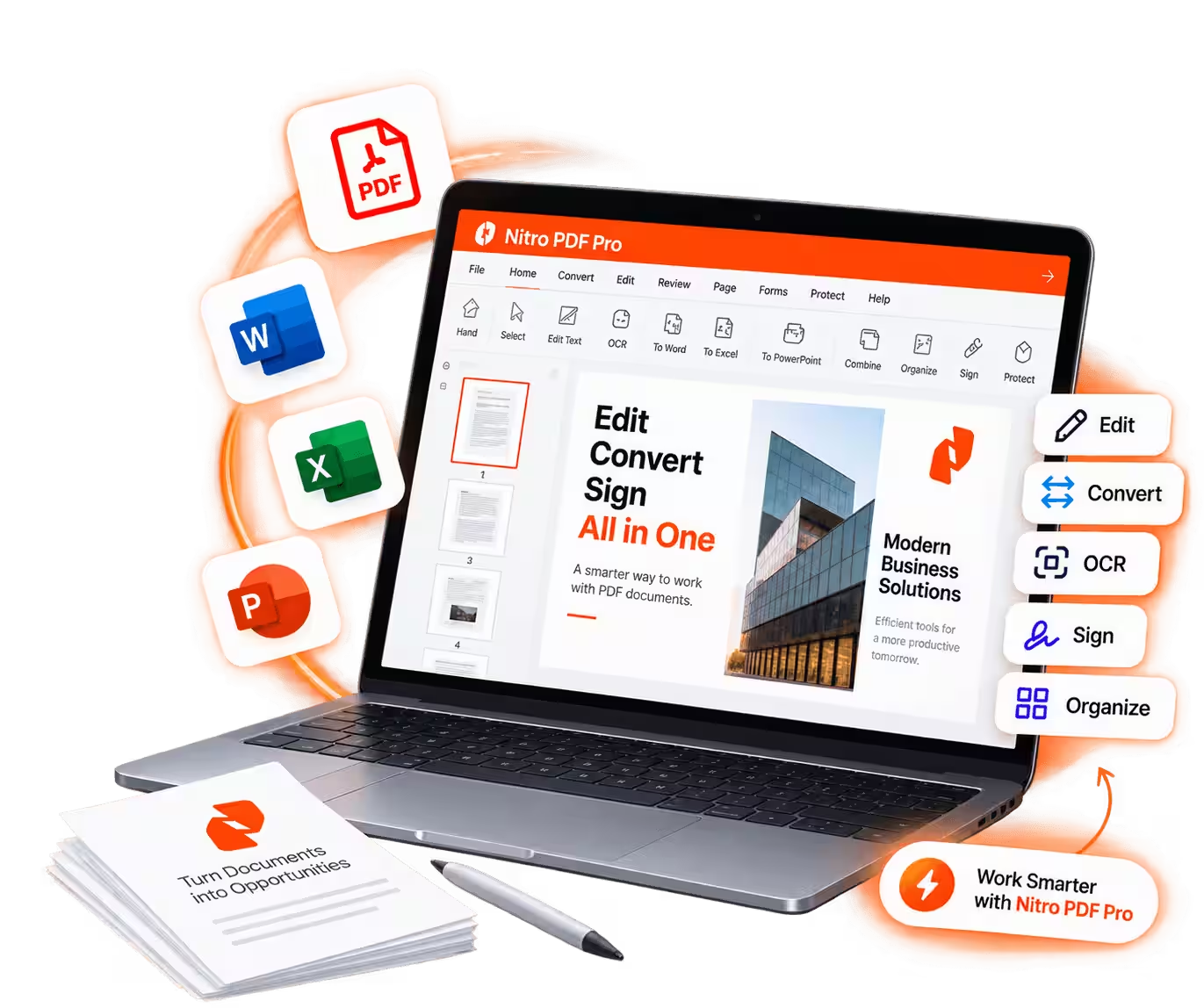
Nitro PDF Pro PDF editor for Windows with editing, conversion, OCR and digital signature tools
NITRO PDF FEATURES

Powerful Tools for Everyday PDF Work

Edit PDF Text and Images

Edit text, images, and other elements directly within your PDF documents and make changes without recreating the entire file.

Convert PDF Documents

Convert PDF files to commonly used document formats and create PDFs from your existing files when you need them.

OCR for Scanned Documents

Use OCR technology to turn scanned PDF content into searchable text, making information easier to find and work with.

Sign and Protect PDF Files

Sign documents electronically and use PDF protection tools to help keep important or sensitive information secure.

Lifetime license

One payment. Nitro PDF Pro for Windows, for life.

This is a genuine Nitro PDF license for one Windows PC, delivered digitally and activated permanently. No monthly billing, no expiry, no feature throttling.

Perpetual activation — never expires
Full Pro feature set unlocked, no add-ons
Direct download of the official Windows installer
Genuine key delivered by email in 1–30 minutes
Reinstall on a replacement PC anytime
Free 24/7 installation and activation support

Nitro PDF Pro · Windows

$59.99

Secure checkout · Instant email delivery · 24/7 support

Secure checkout · Instant email delivery · 24/7 support

How it works

From purchase to first PDF in minutes

Get started with Nitro PDF in a few simple steps. Complete your order, receive your license details, install the software on your Windows PC, and start working with your PDF documents.

Purchase Nitro PDF

Choose your license and complete the checkout through our secure online payment process.

Receive Your License

Your order details and activation information are delivered electronically after your purchase.

Install the Software

Download the compatible Windows installer and follow the included installation instructions.

Activate Nitro PDF Pro

Enter your license information during activation and start using the PDF tools included with your edition.

Specs

System requirements

Check that your PC is ready before you buy. Nitro Pro is a Windows-only application.

Operating System

Windows 11 / 10
64-bit, up-to-date build

cpu

Processor

1.5 GHz or faster
Recommended (2.5 GHz Min)

Memory (RAM)

4 GB recommended
2 GB minimum

Display

1024 × 768 or higher
True colour display

Disk Space

4.5 GB free
SSD recommended

Other

.NET 4.8 & internet
Required for activation

Pro Tip: Use an SSD

SSD and 8 GB of RAM make OCR and large batch conversions noticeably faster.

NITRO PDF FAQ

Frequently Asked Questions About Nitro PDF

Find answers about Nitro PDF, its features, Windows compatibility, installation, activation, licensing, and getting started.

Nitro PDF Pro is professional PDF software for Windows that lets you create, edit, convert, organize, review, annotate, and sign PDF documents. It brings a wide range of everyday PDF tools together in one desktop application.
You can use Nitro PDF to edit text and images, create and combine PDF files, convert PDFs to Office formats, work with scanned documents using OCR, add annotations, manage pages, protect documents, and apply electronic signatures.
Yes. Nitro PDF is available for Windows and supports 64-bit versions of Windows 10 and Windows 11. Always check the current system requirements before installing the software.
Yes. Software Nitro allows you to edit PDF content, including text and images, directly within your documents. This makes it easier to update existing files without recreating them from the beginning.
Yes. Nitro PDF includes OCR technology for scanned documents. OCR can turn content from scanned PDFs into searchable text, making it easier to find and work with information inside your files.
Yes. Software Nitro supports converting PDF documents to Microsoft Office formats, including Word, Excel, and PowerPoint, so you can continue working with the content in the appropriate application.
After receiving your software and license information, download the appropriate Windows installer, complete the installation steps, and follow the activation instructions provided with your order. An internet connection may be required for activation.

The license offered on our website is a lifetime license for the specified Nitro edition. It is provided as a one-time purchase rather than a recurring monthly subscription. Please review the product page for the exact license terms, version, and activation details before purchasing.

CUSTOMER REVIEWS

What Our Customers Say About Nitro PDF

See what customers have to say about using Nitro PDF for their everyday PDF needs. Discover how the software helps with editing, converting, organizing, reviewing, and managing PDF documents on Windows.

Easy PDF Editing for Everyday

"Nitro PDF makes it much easier to edit and manage PDF documents. I can make quick changes to text and pages without having to recreate the entire document."

— Ahmed M.

A Practical PDF Solution

"I use Nitro PDF regularly for document conversion, editing, and reviewing. Having these tools together in one Windows application makes my workflow much more convenient."

— Ocean R.

Great for PDF Documents

"Nitro PDF gives me the tools I need to work with PDFs every day. Editing, combining files, adding annotations, and converting documents are all much easier in one place."

— Daniel L.

Blog

Latest Nitro PDF Pro Guides & PDF Tips

Explore helpful Nitro PDF Pro guides, PDF editing tips, document management tutorials, and practical solutions for working with PDF files on Windows. Discover useful articles to help you work more efficiently, understand PDF tools, and get more from your Nitro PDF Pro software.

No posts were found matching your selection.
Nitro PDF Pro logo 2

Your trusted source for Nitro PDF Pro software. Explore powerful PDF tools for editing, converting, organizing, signing, and managing documents on Windows.

Contact

support@nitro-pdf.com

(415) 651-4700

© 2026 Nitro PDF. All rights reserved. Professional PDF software for Windows.